
PennyGems: Screen Penny Stocks
Stockring, Inc.Finance
4.875.00 Reviews
- Version
- 7.2.6
- Installs
- 50.00K
- Age Rating
- Everyone
Screenshots
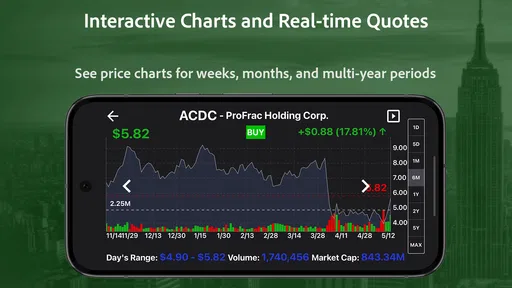
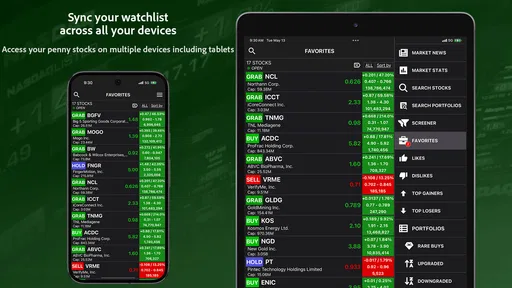
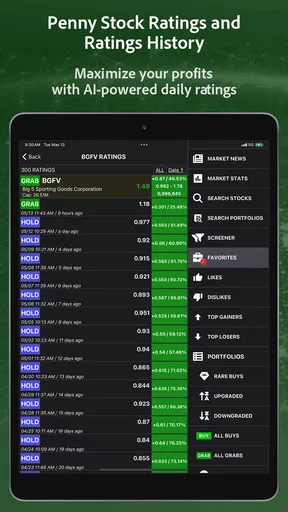
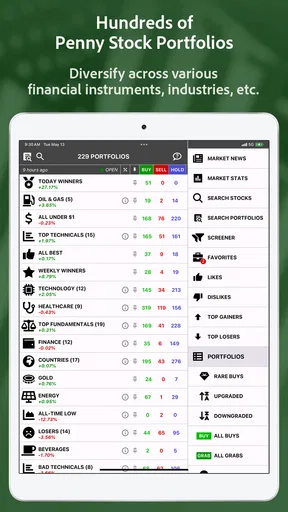
Our Review of PennyGems: Screen Penny Stocks
 Analysis by Appyee
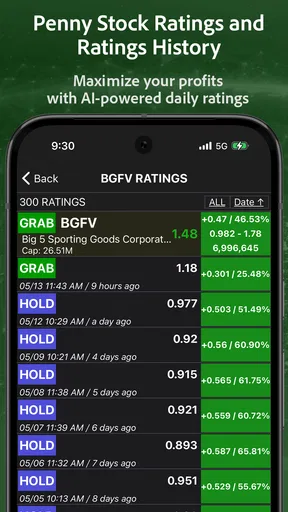
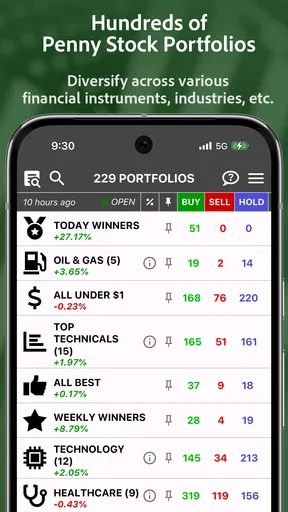
I approached PennyGems as a finance app for people who want a faster way to notice activity in penny stocks, not as a complete replacement for a brokerage account or a personal investment plan. Its central idea is straightforward: use AI-oriented buy and sell signals, trending-stock discovery, and price alerts to help users decide what deserves attention. That can be useful when a watchlist is getting crowded, but it also means the app sits in a sensitive part of personal finance, where a confident-looking signal can feel more certain than it really is.
My overall impression is cautiously positive. The app is free to download, aimed at Everyone, and has built a respectable audience, with more than fifty thousand installs and a 4.8 average from roughly three hundred ratings. Those figures suggest that many users find the experience worthwhile, but they do not turn a signal into financial advice. I would treat PennyGems as a research and monitoring companion: something that can help me organize attention, while leaving the actual decision, risk assessment, and trade execution to me.
What PennyGems is really useful for
The app comes from Stockring, Inc., and it belongs to the finance category rather than the investing infrastructure I would expect from a full broker. That distinction matters. I would not open it expecting a complete portfolio ledger, tax center, retirement planner, or order-management system. Its value is narrower and potentially more practical: it tries to surface movement in low-priced stocks and bring possible opportunities to my attention before I lose track of them.
Penny stocks are especially difficult to monitor manually because their prices can move quickly and their surrounding information can be noisy. A normal stock screener may give me a long list of filters, while a general brokerage app may prioritize account balances and order entry. PennyGems takes a different route by putting signals and alerts closer to the front of the experience. For a curious investor who already has a separate brokerage account, that focus can make the app easier to use during a short daily review.
I would use it in a simple routine. In the morning, I could scan the stocks the app is highlighting, remove anything that does not fit my own rules, and then investigate the remaining names through more dependable sources. Later, a price alert could tell me that a stock has reached a level worth reviewing. The important word is “reviewing,” not “buying.” An alert is a prompt to reopen the research process, not a command to place an order.
That workflow is one of the app’s strongest practical use cases. It reduces the chance that I will forget a stock I was watching, while keeping the final decision outside the signal itself. It also gives the app a sensible role for people who invest part-time. Someone checking markets between work or school may appreciate a focused shortlist more than a large professional terminal filled with data they do not yet know how to interpret.
Signals are starting points, not explanations
The phrase “AI buy/sell signals” sounds powerful, but I would be careful about assigning too much meaning to it. A signal can identify a pattern, movement, or condition that the app considers notable. It does not automatically explain the company’s finances, the quality of its disclosures, the liquidity available at a given moment, or the reason a price may reverse. Penny stocks can be particularly vulnerable to sharp changes, and a signal may arrive when the most convenient entry point has already passed.
My preferred approach would be to write down why a stock interests me before acting on an alert. Is the company understandable? Can I find current public information about it? Would I still consider it if the price stopped moving for a week? These questions create a useful barrier between curiosity and impulse. PennyGems can help me find candidates, but it cannot make those judgment calls responsibly on my behalf.
There is also a subtle trade-off between convenience and context. A focused signal app can feel clearer than a traditional screener because it reduces the number of choices in front of me. The downside is that fewer visible choices can make me forget what has been filtered out. I would therefore use the app alongside a broader research source, especially before committing money. If I wanted deep company analysis, portfolio construction, or direct trading controls in one place, a conventional brokerage or research platform would be the better primary tool.
Alerts work best when I define the response first
Price alerts can be helpful, but they can also create unnecessary urgency. Before setting one, I would decide what the alert is supposed to trigger. For example, an alert might mean “check the latest information,” not “buy immediately.” I might also set a written maximum amount for a speculative position before the notification arrives. That small step prevents the alert itself from becoming the decision-maker.
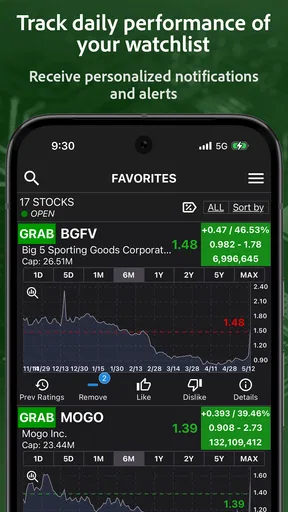
A second useful habit is to avoid filling the app with every interesting ticker. A short watchlist is easier to review and makes each notification more meaningful. If I receive alerts for too many volatile stocks, I may start reacting to noise rather than following a plan. PennyGems is most useful when I treat it as a filter for attention, not as a constant stream of reasons to trade.
The app’s current version is 7.2.6, which indicates that it has continued through multiple updates since its release on August 4, 2020. I see that as a reason to expect an evolving product rather than a one-time utility. At the same time, an updated version does not tell me whether every signal suits my strategy. I would still spend time learning how the interface presents an alert and what information is visible before relying on it during a fast market move.
Trust, controls, and moments that deserve care
Trust is more important here than it would be in a simple weather or notes app because the subject is money. I would judge PennyGems by the choices it lets me make, the clarity of its prompts, and how comfortable I feel reviewing information before taking action. The free price makes trying the app relatively easy, but “free” should not be confused with risk-free. The app includes in-app purchases ranging from $7.99 to $79.99 per item, so I would pay attention to upgrade screens and make sure I understand what I am choosing before confirming anything.
That is one of the first moments where user control matters. I would not subscribe or purchase an add-on simply because an alert or signal is presented with urgency. I would compare the paid option with my actual routine: if I only check a few stocks occasionally, a premium purchase may add little value; if I monitor the market regularly, the convenience may be easier to justify. The right choice depends on whether the extra capability improves my process rather than intensifying my trading frequency.
When an app deals with financial interests, I also prefer to separate discovery from account access. PennyGems makes more sense to me as a place to explore and monitor ideas than as a reason to hand over broader control of my finances. I would review every sign-in, notification, and account prompt carefully, use only the controls I need, and avoid treating a clean interface as proof that a recommendation is safe. The most trustworthy habit is still my own pause before acting.
Data-sensitive moments deserve the same attention. I would read the app’s privacy and permission explanations in the store and inside the app before accepting requests, particularly if a feature asks for access unrelated to viewing signals or receiving alerts. I would also check notification settings so that market prompts do not appear at inappropriate times or reveal sensitive information on a shared lock screen. These are small controls, but they make the experience feel more deliberate and reduce accidental exposure.
I would be especially careful with any personal details connected to a finance product. A user should know which information is necessary to create or maintain an account, which choices are optional, and how to turn off communications that are no longer useful. If a prompt is unclear, I would postpone the action rather than guessing. That approach may sound conservative, but it is appropriate when a service can influence financial decisions and purchasing behavior.
Who will benefit, and who should skip it
PennyGems is a good fit for a self-directed investor who already understands that penny stocks are speculative and wants a compact way to discover candidates or monitor price movement. It may also suit a beginner who is learning how market alerts work, provided that the beginner treats every signal as a research prompt and starts with paper notes or very small, predetermined amounts rather than chasing movement.
I would recommend skipping it as a primary tool if I wanted long-term retirement guidance, diversified portfolio management, detailed fundamental research, or a broker with robust order execution. It is also a poor match for anyone who tends to trade emotionally after seeing a sudden notification. In that situation, alerts can amplify bad habits. A slower research service, a broad index fund approach, or a brokerage with strong planning tools may be more appropriate.
Another group that should be cautious is anyone who cannot afford to lose the money being considered. PennyGems may make speculative ideas easier to find, but easier discovery does not reduce the underlying risk. I would never use rent, emergency savings, or borrowed money based on a signal. The app can fit inside a disciplined process; it should not become the process.
How it compares with familiar finance alternatives
Compared with a normal brokerage app, PennyGems appears more focused on finding and watching possible penny-stock opportunities than on managing an entire financial life. A brokerage remains the place I would expect to see balances, holdings, orders, and account records. PennyGems can sit beside it as an idea and alert layer, but I would not expect the same depth of account management from a focused discovery tool.
Compared with a traditional stock screener, the appeal is a more guided experience. Screeners often reward users who know exactly which financial or technical filters they want. PennyGems is more approachable when I want the app to point out activity first. The trade-off is that guided signals may offer less transparency than building a screen myself. If I enjoy testing precise criteria and inspecting every input, the traditional screener may give me greater control.
Compared with social investing platforms, PennyGems is potentially less dependent on following personalities or copying public trades. That can be a benefit because it keeps my attention on the stock and my own rules. However, the absence of social discussion would also mean I need to do more independent research. Neither a crowd’s excitement nor an automated signal should substitute for understanding what I am buying.
A practical routine for using it responsibly
I would begin by installing the free version and observing the app without making a purchase. I would learn what the signal screens show, how alerts are configured, and how quickly I can dismiss a stock that does not meet my criteria. During this trial period, I would keep a small external note containing the ticker, the reason it appeared interesting, the date I reviewed it, and the condition that would make me reconsider it.
Next, I would verify each candidate elsewhere. I would look for current company information, consider trading liquidity, check whether the price movement is sensible for my risk tolerance, and make sure I understand the difference between a low share price and a cheap valuation. This is a non-obvious but important distinction: a stock priced at a few cents is not automatically a bargain, and a strong-looking chart does not reveal the full business picture.
Only after that would I decide whether an alert is useful. I would set alerts around a specific research threshold and turn off anything that encourages constant checking. If the app’s paid options become tempting, I would compare their cost with how often I actually use the service. A purchase should solve a clear problem, such as reducing repetitive monitoring, rather than simply promising more opportunities.
Finally, I would review my own behavior after a few weeks. Did the app help me follow a plan, or did it make me open my brokerage account more often? Did alerts save time, or did they interrupt my day? Did the signals lead me to better research, or did I start treating them as instructions? Those answers matter more than the novelty of the interface. A finance app earns a permanent place on my phone when it improves discipline, not when it merely creates excitement.
My cautious verdict
I think PennyGems has a clear role for investors who want focused penny-stock discovery and price monitoring without expecting a complete brokerage experience. Its free entry point, accessible finance focus, and strong visible rating make it reasonable to test, while the Everyone age classification keeps the presentation broadly accessible. Stockring, Inc. has built something that can be useful for organizing attention, particularly when I already have a separate place for execution and deeper research.
My reservation is not that the concept is unusable; it is that signals can be psychologically persuasive. The more polished and immediate an alert feels, the easier it is to forget that penny stocks carry unusual uncertainty. I would keep notifications selective, review privacy and purchase choices carefully, and never let an automated suggestion replace company research or a personal risk limit.
The best way to use PennyGems is as a disciplined watchlist assistant, not an automatic trading adviser. If that distinction feels natural to you, the app may save time and help uncover stocks you would otherwise miss. If you are looking for certainty, guaranteed gains, full portfolio management, or a single app that handles every part of investing, I would choose a different tool. For me, PennyGems is worth trying precisely when I keep its role narrow, question every signal, and remain fully in control of the final decision.
Verdict
Strengths of PennyGems: Screen Penny Stocks
- Simple interface makes penny-stock research quick to navigate.
- Watchlists help track selected stocks without repeatedly searching for them.
- Useful for discovering lesser-known companies and potential market opportunities.
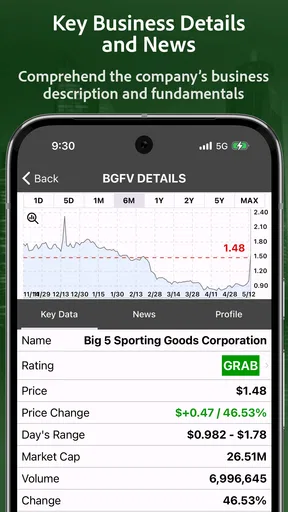
- Stock information is presented in a compact, easy-to-scan format.
- Suitable for beginners exploring speculative stocks with limited experience.
Limitations of PennyGems: Screen Penny Stocks
- Penny stocks can be highly volatile and carry a significant risk of loss.
- Some listings may have limited trading volume and poor liquidity.
- Information may not be sufficient for thorough investment research.
- App availability and data coverage can vary by market or region.
- Users may encounter ads, subscription features, or limits on advanced tools.
Similar Picks in This Category
View All
Google Wallet
Google LLC4.3

Airtel: Recharge, Bank & Loans
Airtel4.0

PayPal - Pay, Send, Save
PayPal Mobile4.2

DANA Indonesia Digital Wallet
PT Espay Debit Indonesia Koe4.5

Binance: Buy Bitcoin & Crypto
Binance Inc.4.8

Cash App
Block, Inc.4.7
Frequently Asked Questions
What is PennyGems: Screen Penny Stocks used for?
PennyGems: Screen Penny Stocks is designed to help users discover and research low-priced stocks through screening and market-analysis tools. It can be useful for comparing companies, reviewing price movements, and creating a watchlist of potential opportunities. However, it should be treated as an information and research app—not as a guarantee of profits or a substitute for professional financial advice.
Is PennyGems suitable for beginners in stock investing?
The app can be helpful for beginners because stock screeners make it easier to filter and organize companies according to criteria such as price, market performance, or trading activity. Even so, penny stocks are generally more volatile and risky than established companies. New investors should learn how the filters and financial data work, research each business independently, and avoid investing money they cannot afford to lose.
Does PennyGems allow users to buy and sell stocks directly?
PennyGems: Screen Penny Stocks primarily focuses on finding and analyzing potential penny-stock opportunities rather than replacing a brokerage account. Users should check the app’s current features and permissions to confirm whether any trading functionality is available in their region. In most cases, a separate supported broker is required to place orders, and all trades remain subject to brokerage fees, market rules, and execution risks.
Are the stock prices and information in PennyGems real-time?
The timing and accuracy of market information can depend on the data provider, subscription level, exchange, and the specific stock being viewed. Some quotes may be delayed, while other features may update more frequently. Before making a decision, users should verify important prices, filings, volume figures, and company news through a reliable financial source or their broker, especially when dealing with fast-moving penny stocks.
What are the main risks of using PennyGems to find penny stocks?
The biggest risk is that screening tools can make speculative investments appear easier or safer than they really are. Penny stocks may have limited liquidity, wide bid-ask spreads, sudden price swings, incomplete information, or exposure to misleading promotions and fraud. PennyGems can support research, but it cannot remove these risks. Users should diversify carefully, investigate companies thoroughly, and never rely on a single app or signal.
